
Mac folder icon maker
Create a custom folder icon for Mac
Design a recognizable macOS folder with a custom color, symbol, image, or text label. Export the result as PNG and apply it through Finder.
Updated August 10, 2026
What you can customize
Folder color
Choose any hue and adjust brightness while retaining the familiar Mac folder shape.
Symbols and images
Use a built-in icon, paste from the clipboard, or drop your own PNG or SVG onto the canvas.
Text labels
Add a year, project code, client name, or category with adjustable fonts and opacity.
Layered artwork
Place artwork inside the front and back parts of the folder for a more integrated result.
Build the Mac folder icon step by step
- Select macOS in the Folder Style panel. This loads the Mac folder base and keeps PNG as the recommended download type.
- Set the hue and brightness. If you plan to make a set, write down the hue value so each icon starts with the same folder color.
- Choose one built-in symbol, or drop a PNG or SVG onto the preview. Drag the image to place it and use the size control to keep space around it.
- Use opacity and blend mode only when the source art needs to take on some of the folder color. Use Normal when a logo must keep its own colors.
- Add a short text tag only if color and shape are not enough. One word, year, or project code stays clearer than a full folder name.
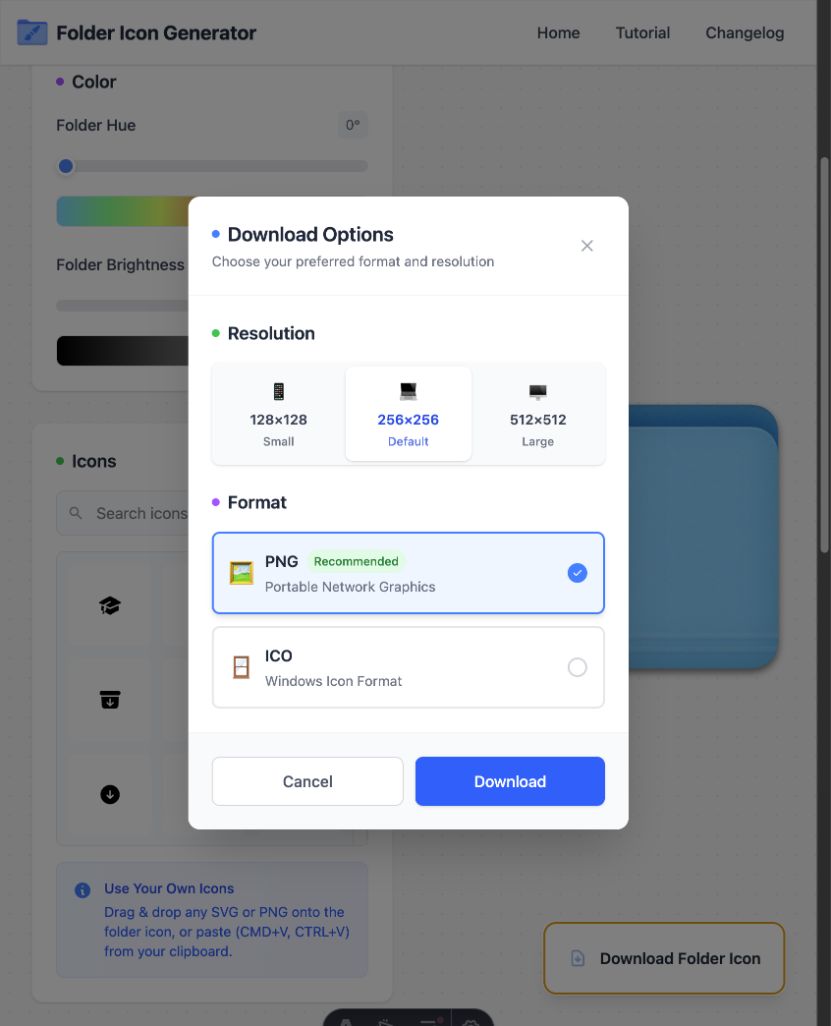
- Check the live preview, then open the download menu and save a PNG.
Check the design at Finder sizes
Finder can show the same folder as a large icon, a small list item, or a sidebar entry. Fine lines and long text that look clear in the editor can disappear in those smaller views. Use one main mark, leave a clear edge around it, and keep the light and dark parts apart.
For a set of work folders, use color for the broad group and a symbol for the exact type. For example, one hue can mark client work while a camera, document, or code symbol names the content. This gives each folder two clues without adding a long label.
Recommended Mac export settings
- Format: PNG for the Finder copy-and-paste workflow.
- Resolution: 256×256 for normal use; 512×512 for a larger source image.
- Overlay: Prefer simple shapes and high contrast so the icon remains legible in Finder's smaller views.
Apply the PNG and keep a source copy
The download gives you the image; it does not change a Finder item by itself. Open the PNG in Preview, copy the image, select the small icon in the folder's Get Info window, and paste. The full Mac folder icon guide shows the apply and restore steps.
Keep the 512×512 PNG if you may reuse the design. FolderIcon.App does not save an online project, so also keep any logo or image that you placed on the folder. A fresh source copy makes it easier to rebuild a matching icon later.
Private, local image processing
The editor performs the composition in your browser. Custom images do not need to be uploaded to an account. This can suit client logos, personal photos, and work art that you do not want to send to an image service.
Create the icon in your browser
No account is required, and images stay on your device.